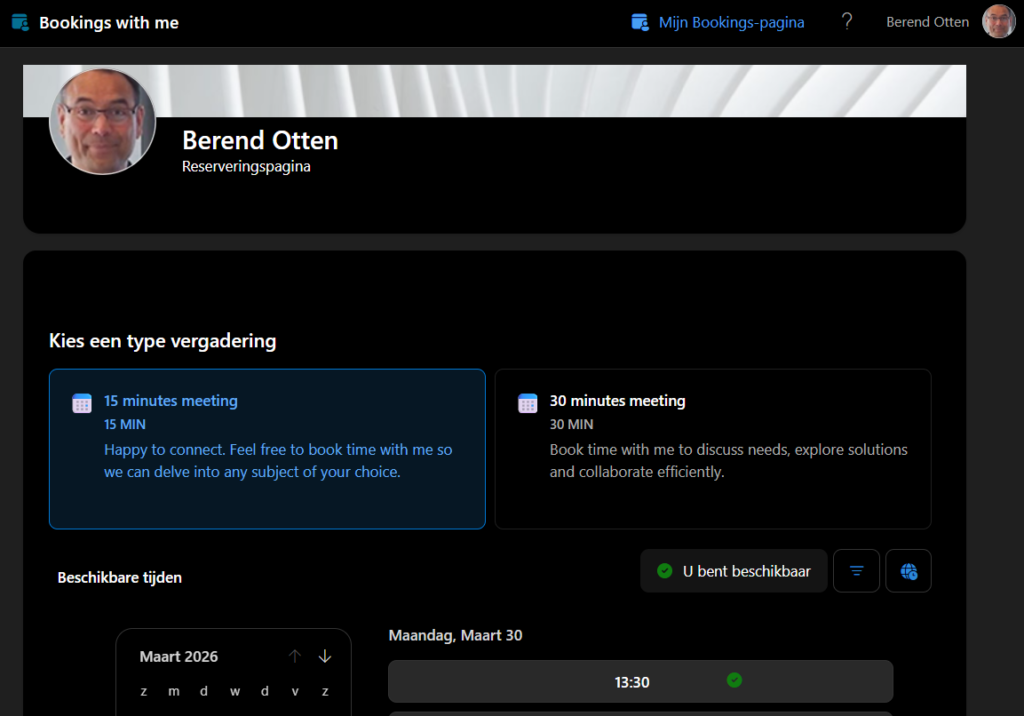
Sometimes working more efficiently comes down to very small things. A great example of this is “Bookings with me” in Outlook. It’s a handy feature that allows colleagues to see your availability and book an appointment with you directly. No more emails like “Are you available on Tuesday?” – “No, how about Thursday?” – “Okay, then next week?”.
Unfortunately, this functionality was missing for me. In Outlook Web, the Bookings with me option was not visible, and the usual booking link didn’t work either. When I tried logging in via book.ms, I received the message:
“Microsoft Bookings is not enabled for you.”

That was the moment to submit a ticket request.
Why this feature is so useful
With Bookings with me, colleagues can:
- View my availability
- Independently choose a suitable time
- Book an appointment directly in the calendar
This not only saves time, but also reduces unnecessary coordination. With a busy schedule, that’s a real win.
Ticket result
After my request was approved and processed, the functionality was successfully enabled for my account. I can now use my personal booking link without any issues, and colleagues can easily schedule a meeting with me at a time that works for both sides. A small adjustment, but one that immediately makes planning smoother and more efficient.
Tip: Add the link to your personal booking page to your email signature, so others can easily schedule an appointment with you.