
Helping My Father Remotely with RustDesk
When remote PC assistance is needed, I often use tools such as TeamViewer, Windows Quick Assist, and in the past also VNC. Recently, however, I was looking for an alternative that is preferably free and can be self‑hosted, for example on my Synology NAS DS723+. That’s how I came across RustDesk. The free version offers everything I need to occasionally help my 90‑year‑old father remotely.
For me, helping someone of that age means one thing above all else: simplicity. I don’t want him to manage accounts, approve pop‑ups, or deal with expiring licenses. I just want to connect when support is needed – reliably, securely, and without hassle.
After some searching and testing, RustDesk quickly stood out. It gives me control over where my data goes, without forcing me into subscriptions or external cloud services. And although it sounds technical at first, the setup turned out to be very manageable – even for someone who is not a full‑time system administrator.
Information
If you are a citizen developer who likes to understand things without going too deep, these resources helped me get started:
- YouTube
Search for: “RustDesk Synology NAS self hosted”.
Several clear step‑by‑step videos explain the setup visually, which is very helpful if Docker is new to you. - RustDesk Documentation
The official documentation is clear and well structured, especially the sections on self‑hosting and first‑time setup: https://rustdesk.com/docs - Synology NAS
RustDesk runs well on a Synology NAS like the DS723+, which many people already use for backups, photos, or home automation. That makes it a natural place to host your own RustDesk server.
You don’t need to be a networking expert to follow along – just some basic familiarity with Synology DSM and a willingness to follow instructions carefully.
Installation
I installed RustDesk on my Synology NAS using Docker, which is available directly via the Synology Package Center. The steps at a high level were:
- Install Docker on the Synology NAS
- Start the official RustDesk Server containers
- One container for registering clients
- One container for relaying connections if direct access is not possible
- Configure my own server address in the RustDesk client
- Forward a small number of ports on my router (as explained in the documentation)
The first setup takes some time, mainly because everything is new. But once it’s running, you don’t need to touch it often. Updates are optional, and the system just keeps working in the background.
The biggest win for me: no accounts, no cloud dependency, no session limits.
Remote Assistance in Practice
RustDesk now starts automatically on my father’s PC. When he needs help, he simply turns on his computer – that’s it. I connect via my own RustDesk server on the Synology NAS.
There are:
- No advertisements
- No forced logins
- No subscriptions
- No “free trial expired” messages
Just a direct, secure connection.
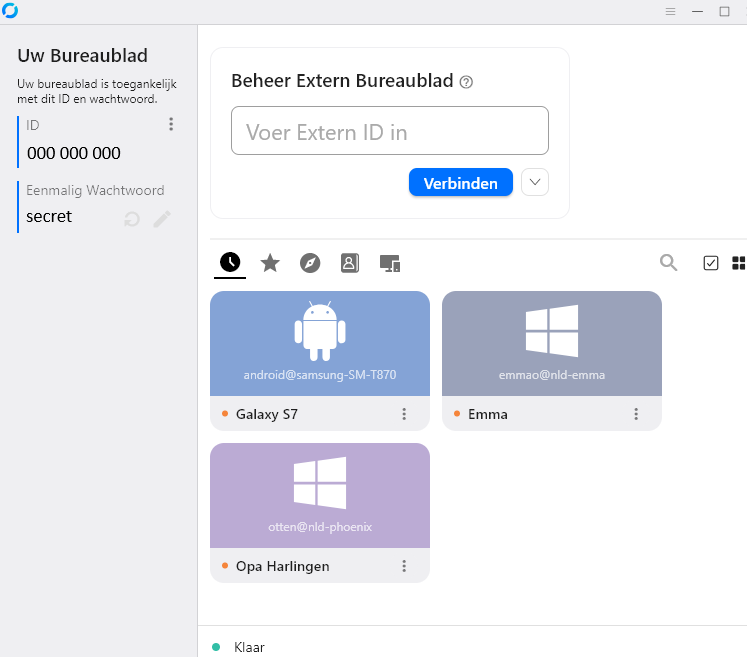
For me, RustDesk is not about fancy features – it’s about peace of mind. Knowing that I can help when needed, without depending on external services, makes it the ideal solution for personal remote support.